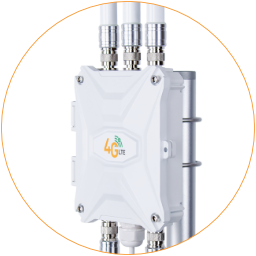
PoE Connection
PoE Standard
Section titled “PoE Standard”Complying with the 802.3at PoE standard, the EZR35-LTE router uses a LAN cable to transmit 52 volts 0.5 amps electric power and 1 Gbps Ethernet data.
It also supports 802.3af/at standard PoE switches. The suggested cable length is less than 50 meters. You can use multiple PoE extenders to get a longer LAN cable distance.
Please use CAT6 or higher-grade LAN cable and ensure it’s wired per TIA/EIA 568B, as shown below. Avoid using non-standard or twisted cables that carry electrical power to the wrong wires, which may cause damage.
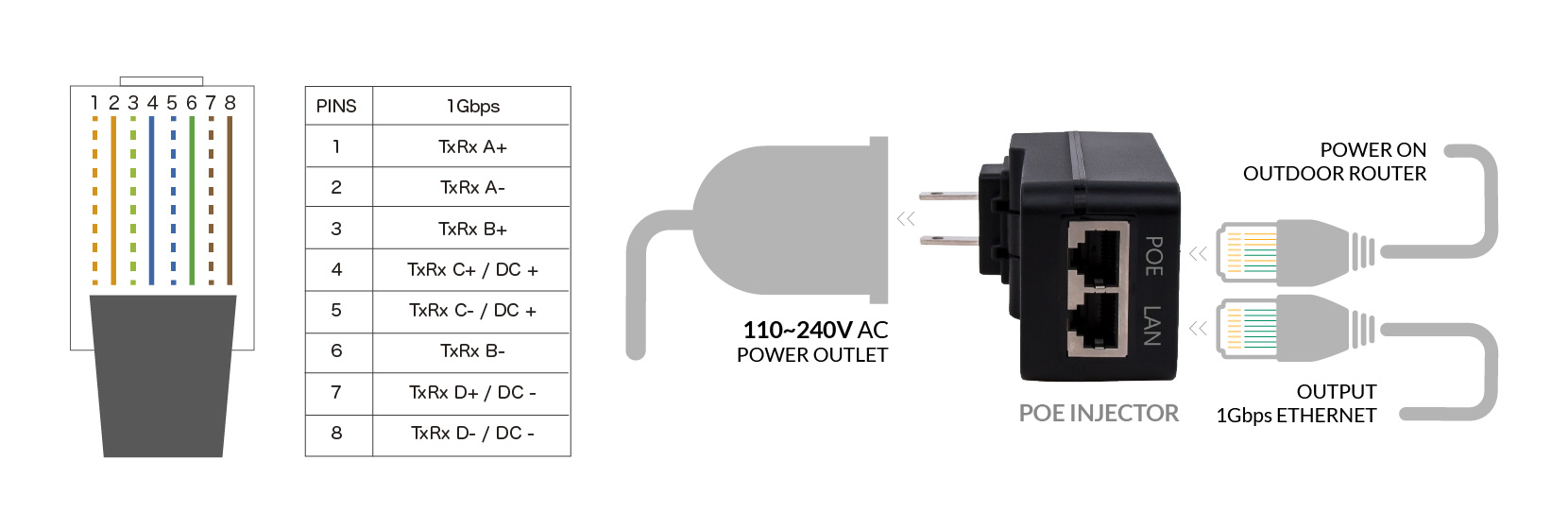
PoE Standard and LAN Wire Order
Set up PoE Power on Outdoor Router
PoE Injector
Section titled “PoE Injector”The package includes a 52-volt 802.3at standard PoE injector and a 10-meter LAN cable. The PoE injector has two RJ45 ports: PoE and LAN. The PoE port outputs 52V 0.5A electric power to boot the router, while the Ethernet port transmits 1000 Mbps data to indoor computers and other routers.
Refer to the sketch below and follow the steps below to connect the router to the PoE injector.
1. Take Apart Gland
Section titled “1. Take Apart Gland”i. Turn the white cap on the cable gland counterclockwise to remove it.
ii. Push from inside or use small pliers to remove the orange silicone stopper.
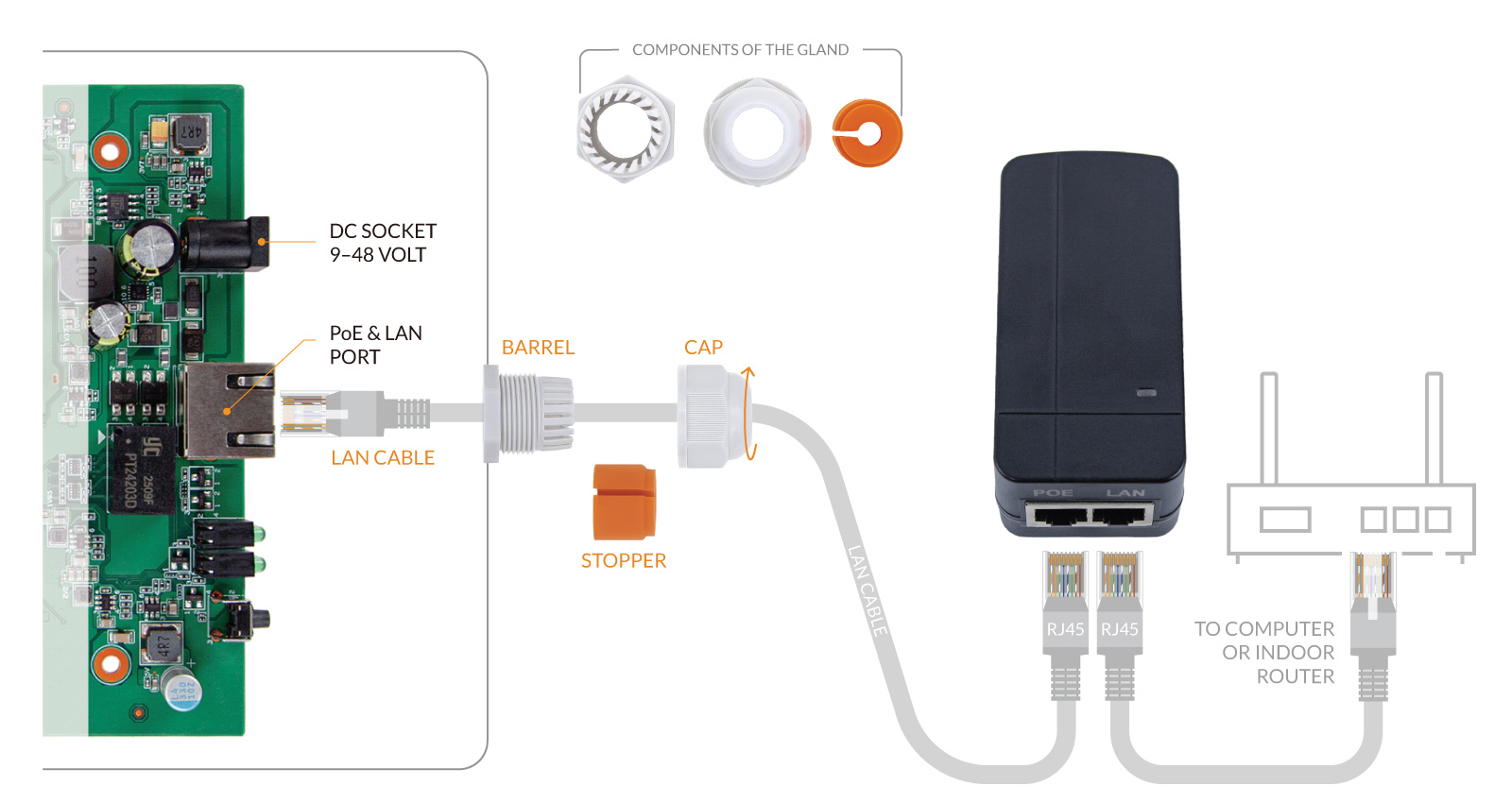
Connect Outdoor Router To A PoE Injector With LAN Cables
2. Cable Through
Section titled “2. Cable Through”iii. Take one end of the LAN cable through the cap.
iv. Put the LAN cable through the barrel screw and plug in the PoE & LAN port on the motherboard.
v. Clamp the stopper on the LAN cable and settle it in the barrel.
* The smaller end of the orange color stopper should face the outside.
vi. Turn the cap clockwise to tighten it on the barrel screw.
3. PoE Injector
Section titled “3. PoE Injector”vii. Connect another end of the LAN cable to the PoE port on the PoE injector.
viii. Connect the AC plug on the PoE injector to an electrical outlet after finishing all the hardware installation.
Alternative Power
Section titled “Alternative Power”i. PoE Switch
Section titled “i. PoE Switch”You can replace the default PoE injector with an IEEE802.3at standard PoE switch. On an unmanaged switch, the other terminals connected to the same switch can access the Internet via the outdoor router.
ii. 12Volt Power
Section titled “ii. 12Volt Power”The DC socket on the outdoor router takes a wide range of DC power, 9–48 Volts. The DC socket supports a standard Ø5.5/2.1mm DC plug. The PoE gland can take an extra DC power cable.
The router will use the first connected power source if both the DC socket and PoE power are enabled. If one drops, the router will seamlessly switch to another power source.